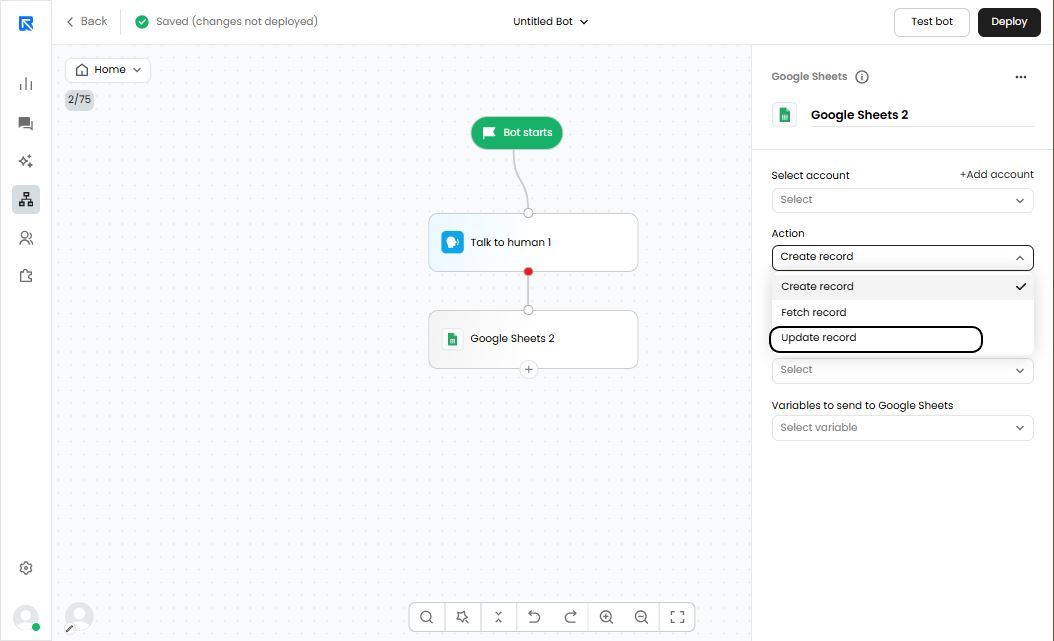
You can now update records in a Google Sheet based on your specific criteria. Here's how it works:
Step 1: Choose the Sheet
- Select the Google Sheet and worksheet where you want to search data.
- Enable the ‘First row contains...’ checkbox if your sheet has column headings.
Step 2: Add Search Criteria
- Define the criteria to search for data in the Google Sheet.
- You can add multiple conditions using “ANY/ALL” operators.
Step 3: Update the Data
- Map the columns you want to update with the appropriate value or variable.
- The column names from your sheet will appear in the dropdown for easy selection.
This feature streamlines record updates and ensures you can manage your data efficiently.