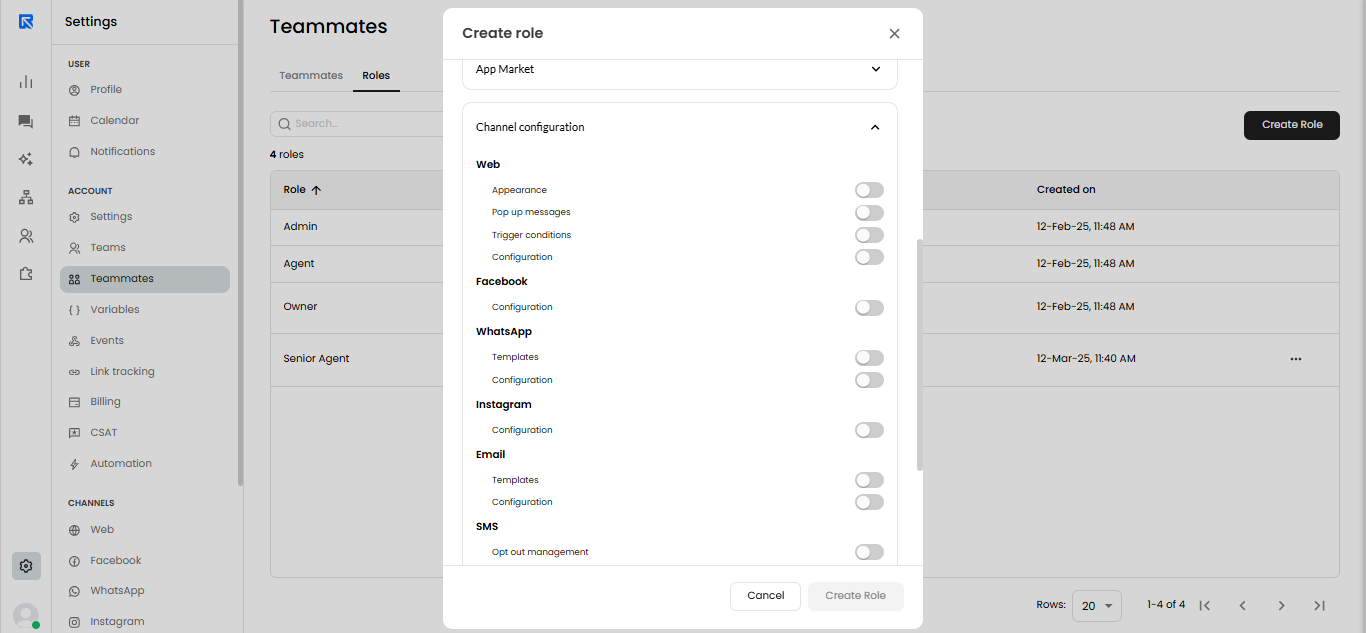
- You can now control access to Channel Configuration pages directly from the Role Definition screen.
- This means you can create roles that do not have access to specific sections of the Channel Configuration menu.
- Helps ensure that only the right team members can view or make changes to important channel settings.
- Reduces the risk of unwanted or accidental changes by team members who shouldn't have access.