Collect file action block is best used when you want to collect any file or image from your visitors.
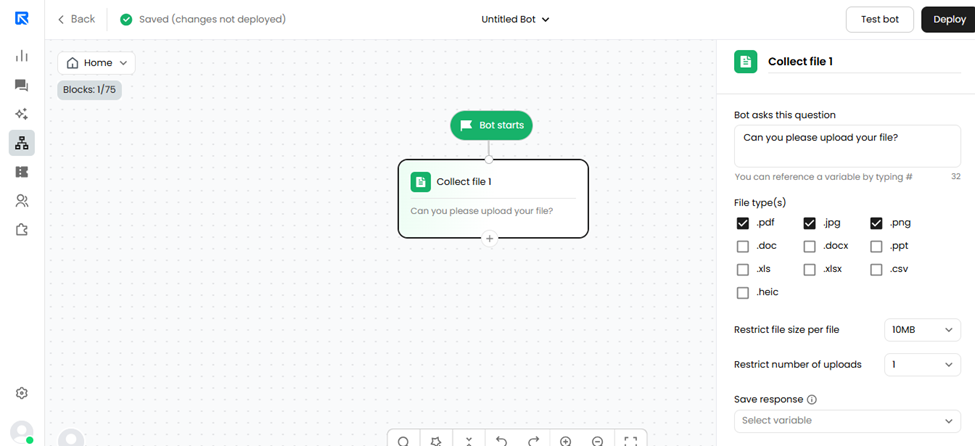
This block consists of the following configuration options:
Question:
Provide the exact prompt or question that tells the visitor what to upload.
For example: "Could you please upload a copy of your invoice?"
Format:
Specify which file extensions visitors are allowed to submit.
The supported formats include:
.jpg | .png | .doc | .docx | .ppt | .xls | .xlsx | .csv |
|---|
Settings:
Under settings you can configure the following;
Restrict file size: Use the dropdown menu to cap the maximum size of each uploaded file (ranging from 1 MB to 10 MB).
Restrict number of uploads: Define how many files a visitor is allowed to submit at once (ranging from 1 to 10 files).
Save Response (Variables): Store the visitor's uploaded file into a variable so you can easily reference or retrieve it later in the conversation flow. You can select an existing variable from the dropdown menu or create a new one.
Note:
The uploaded file is stored on ReplyCX’s cloud server, and a publicly hosted file URL will be stored in this variable.