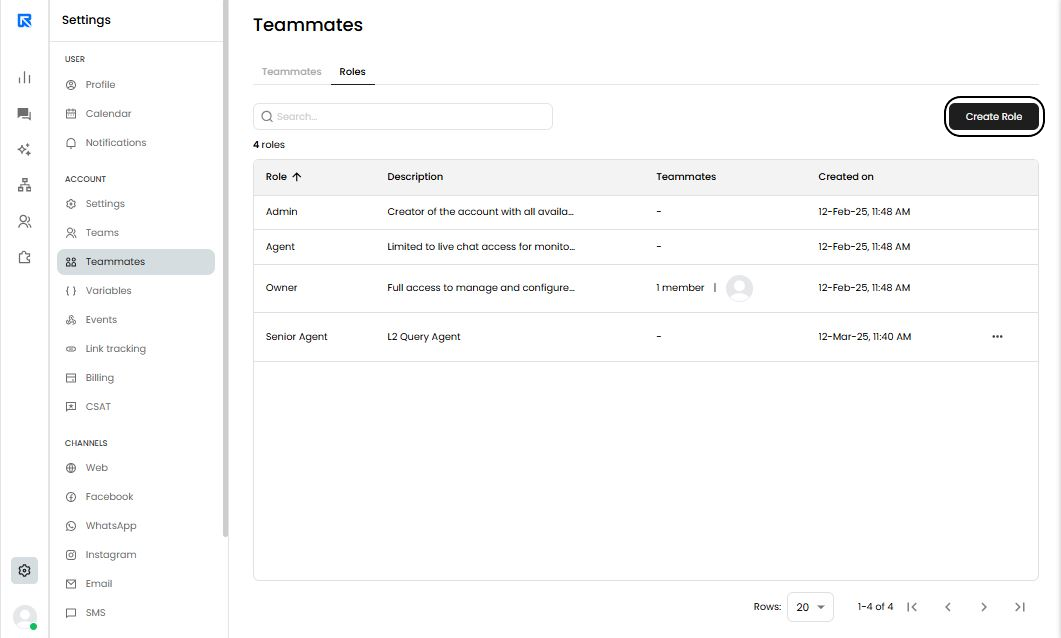
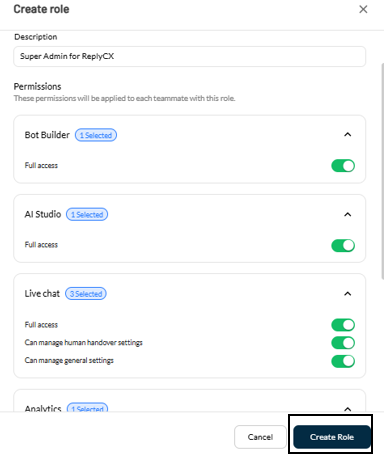
You can create custom roles by following these steps:
- Navigate to Settings 🡪 Teammates 🡪 Roles and click Create Role.
- Enter a name and description for the new role.
- Select the permissions to be assigned to this role.
After creating the role, you can edit it anytime by going to the Teammates page and clicking Edit.