Using fallback variables in ReplyCX, you can assign a fixed value to a variable for cases when a required piece of information or value is missing.
If you have not defined the fallback value, a variable will be replaced with blank space in case the variable does not have a value.
Assigning a fallback value to a variable:
-
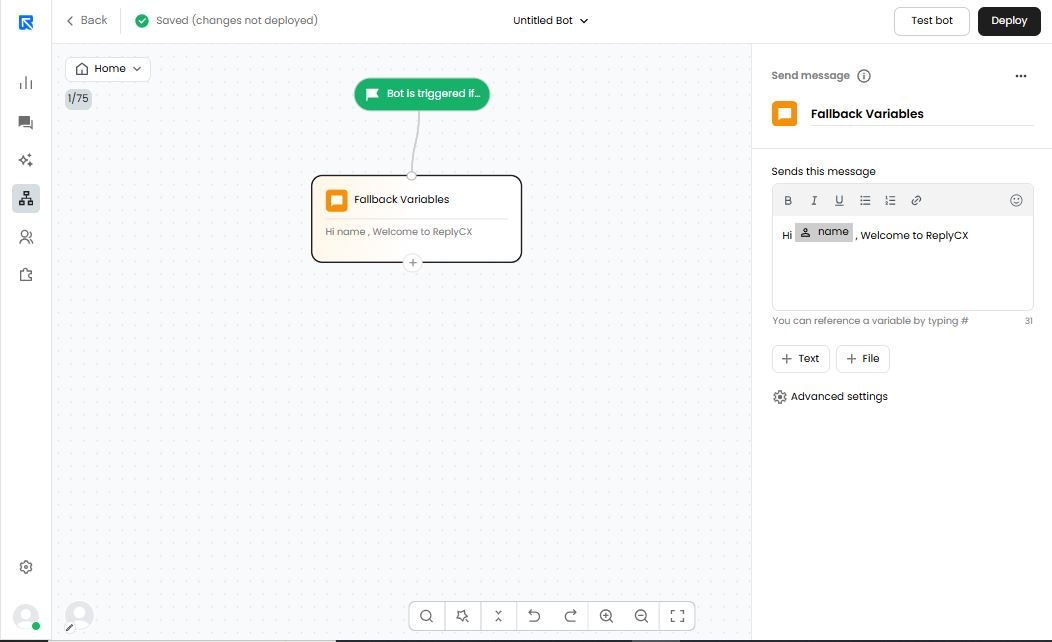
Go to the 'Bot Builder' & open any bot of your choice and select the action block where you can have the variable and fallback value that needs to be mapped.
-
Click on the variable, which in this case is #name#.
-
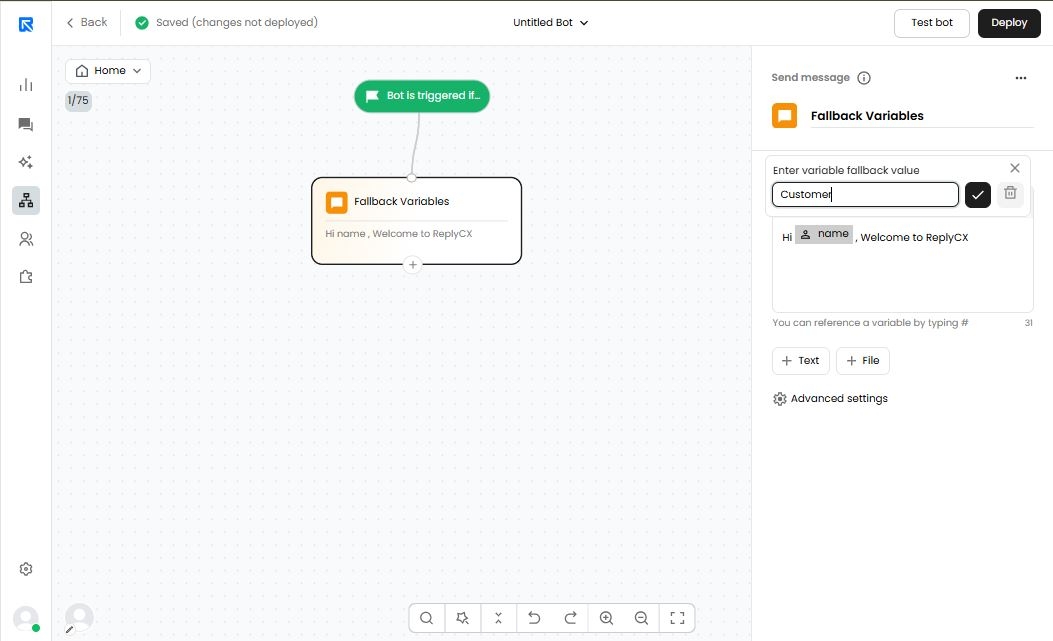
Enter variable fallback value in the pop-up text. Assign the default value to the variable.
-
After assigning the default value to the variable, click on the 'tick' icon.