ReplyCX provides **‘Codeblock’** action block, a powerful tool allowing custom functions to be quickly integrated into projects for optimized performance.
Some ways on how it can be used are:
* Fetching data from databases and rendering them dynamically as buttons, or carousels.
* Integrations with third-party systems.
### Setting up the codeblock:
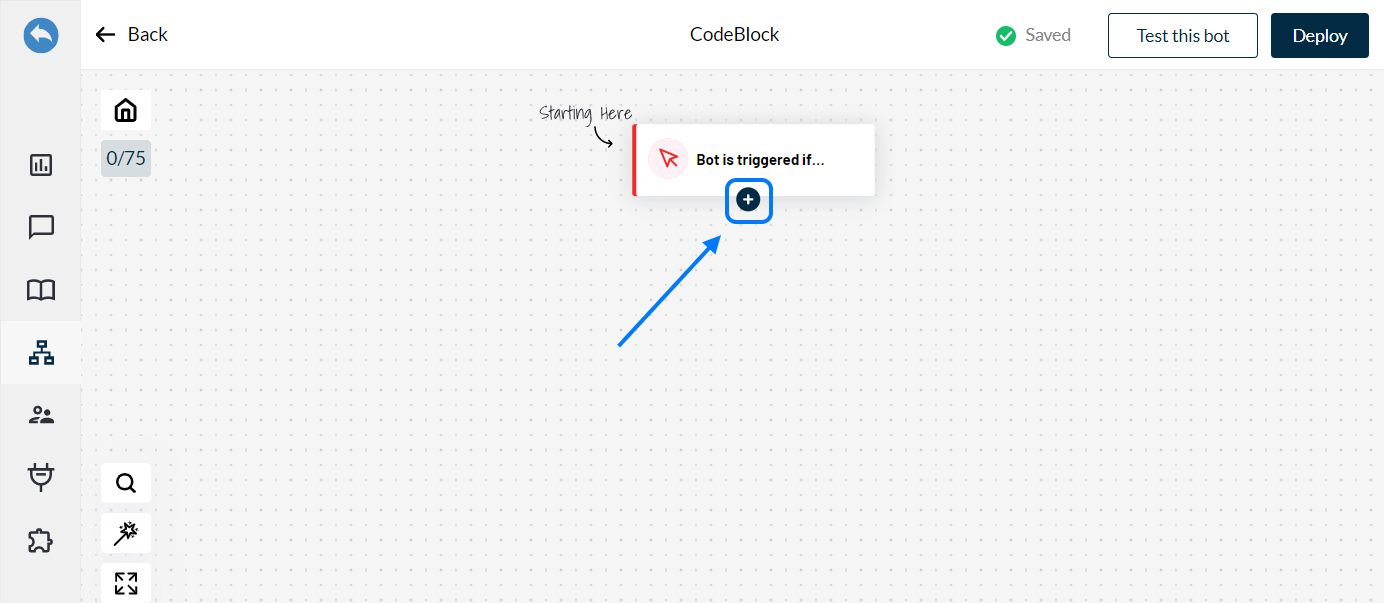
1. Add the action block on the canvas by clicking on **'+'.**
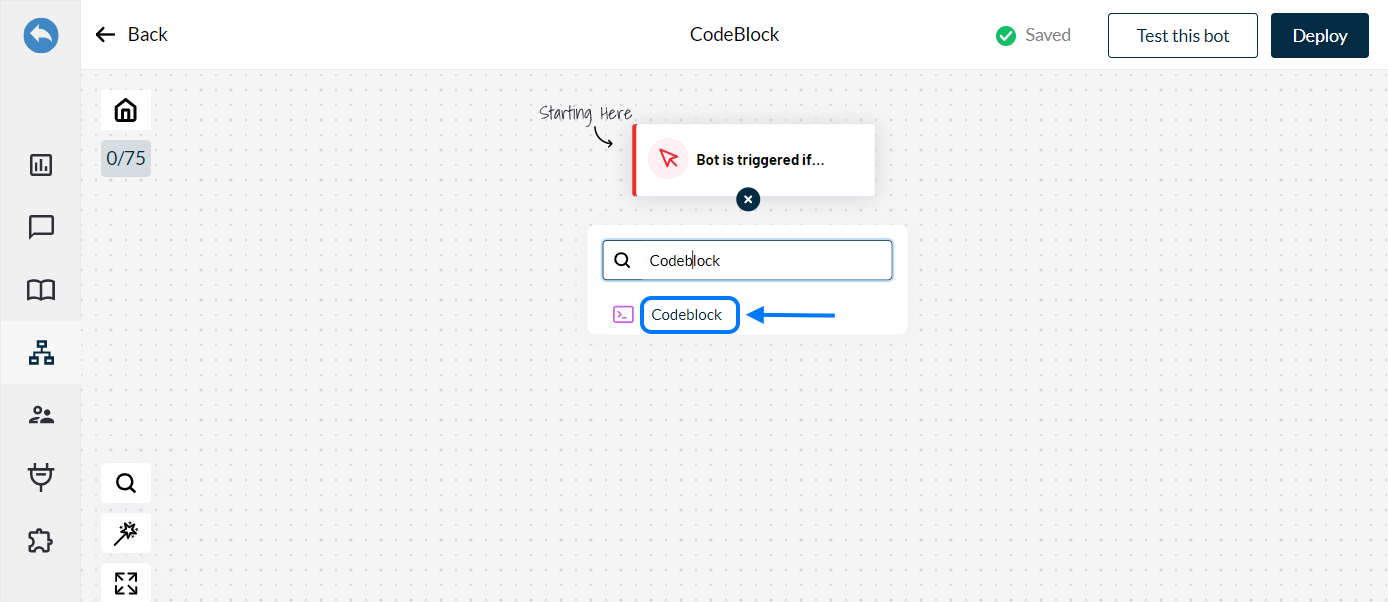
2. Search for **'Codeblock'** and select it.
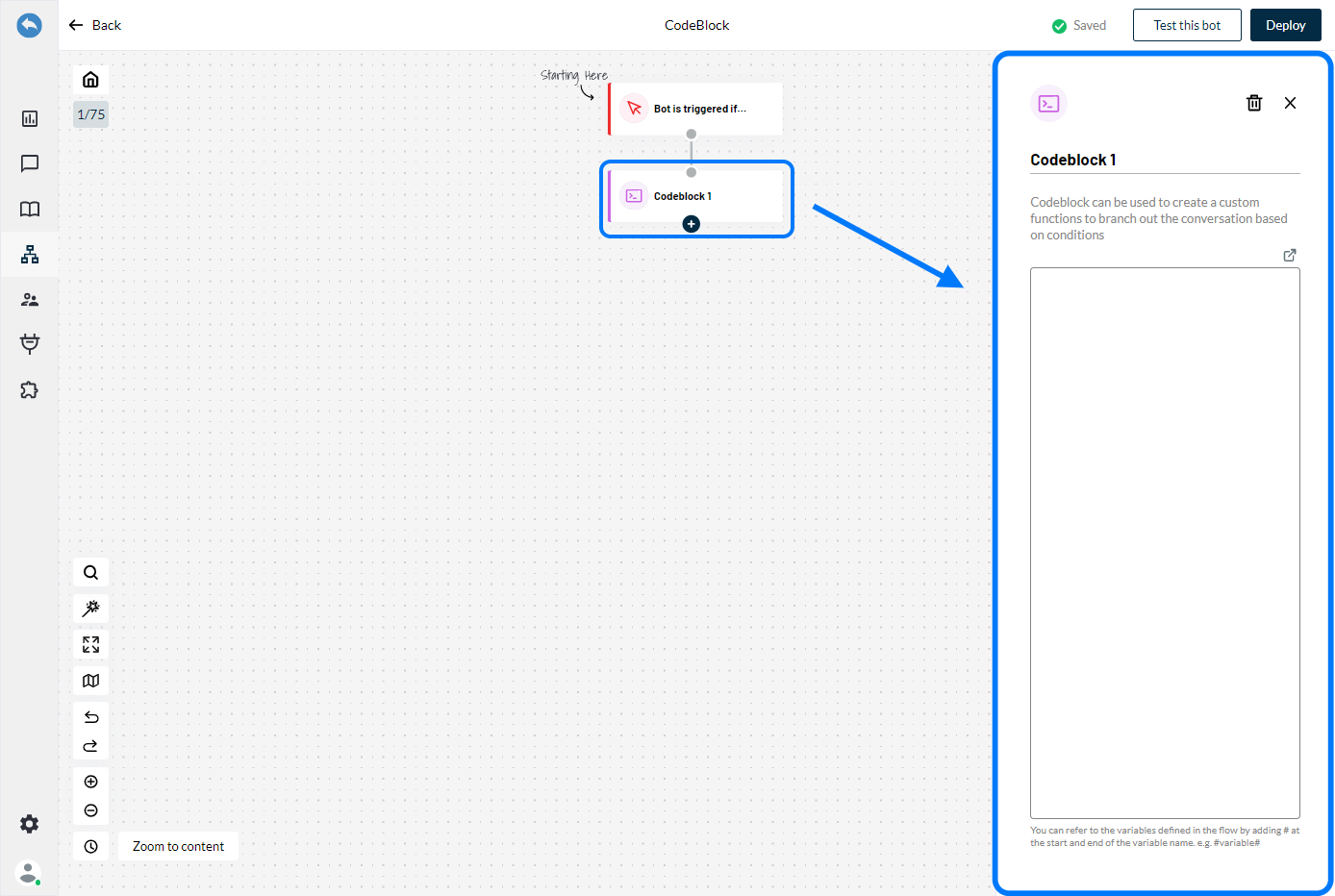
3. Configuration on the right panel.
Click on **‘Codeblock 1’** to open the configuration panel opens on right side of the screen.
\
**Define the function:**
\
You can either use the existing functions or create a new function using code (JSON format)\
in the provided space. You can magnify the code space as well by clicking on **'enlarge'** icon\
at the top right corner.