To help users understand the impact of their campaigns and website navigation, it is essential to gain insights about engagement trends.
ReplyCX gives users a powerful new way to measure engagement with their campaigns and ads. Just replace those long URLs with short ones, and you'll have the data needed all in one easy report.
### Enable link tracking:
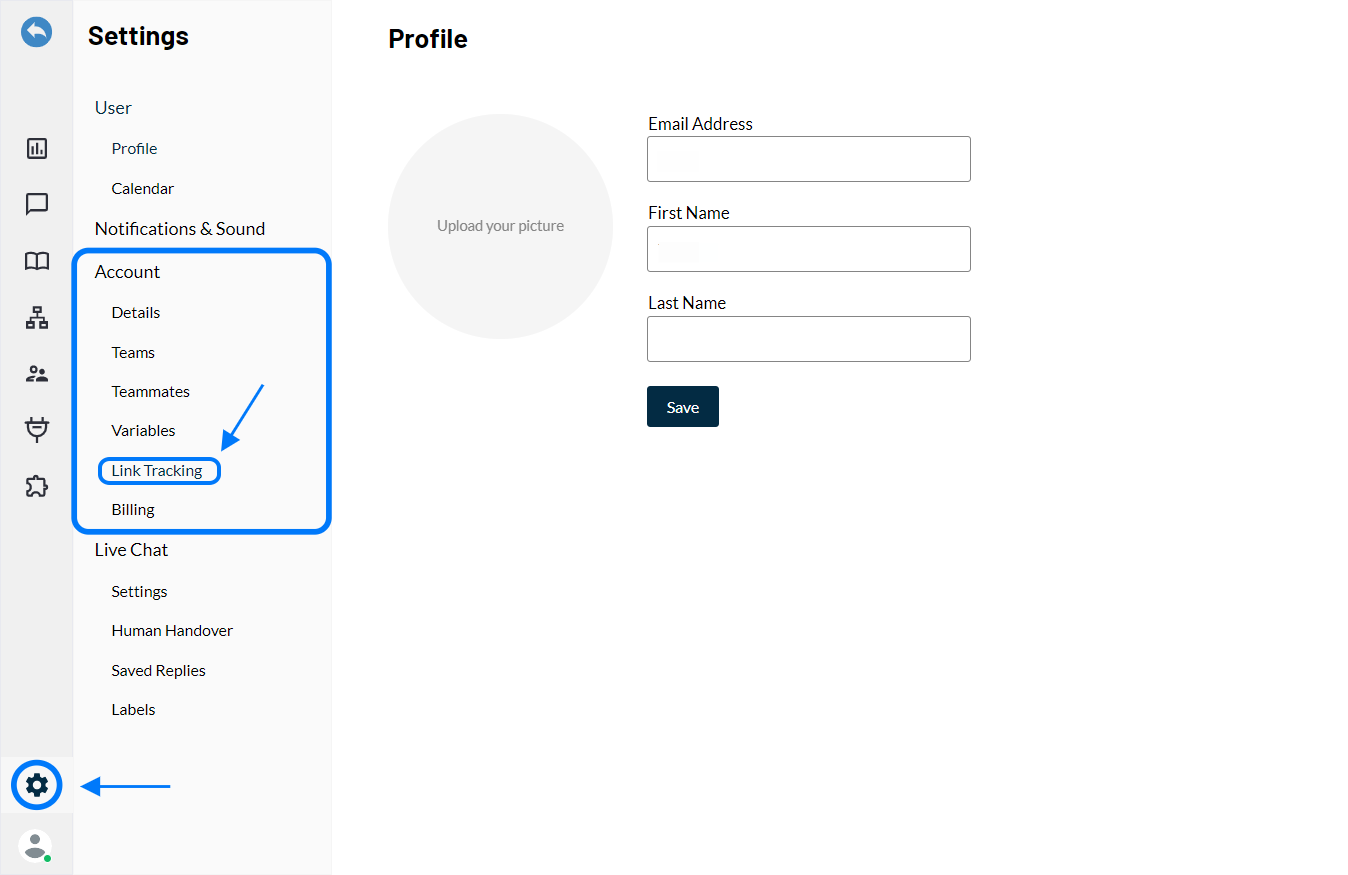
**Step 1:** Go to the **'Settings'** section and click on Link Tracking.
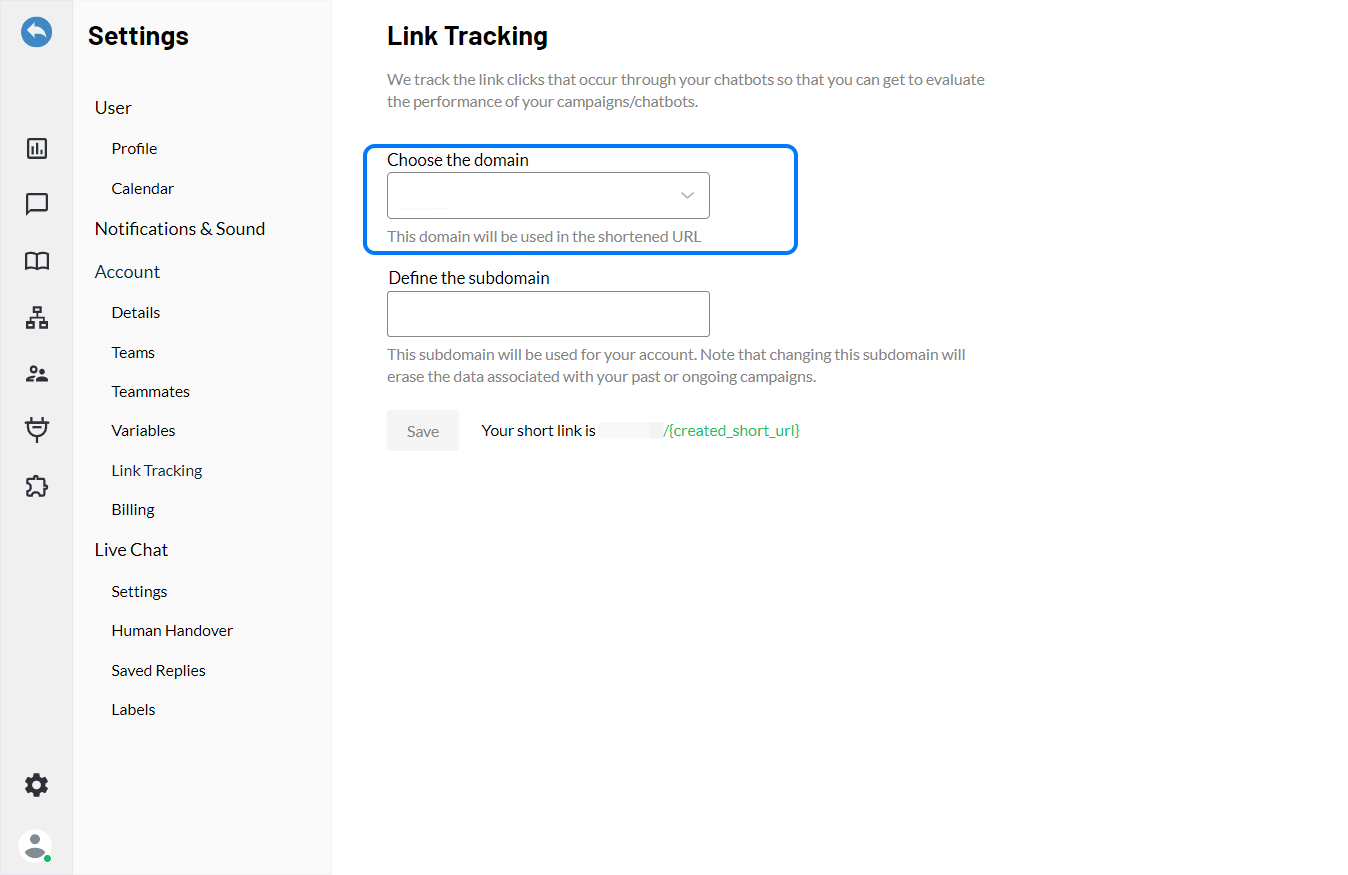
**Step 2:** Enter the domain link in the space provided.
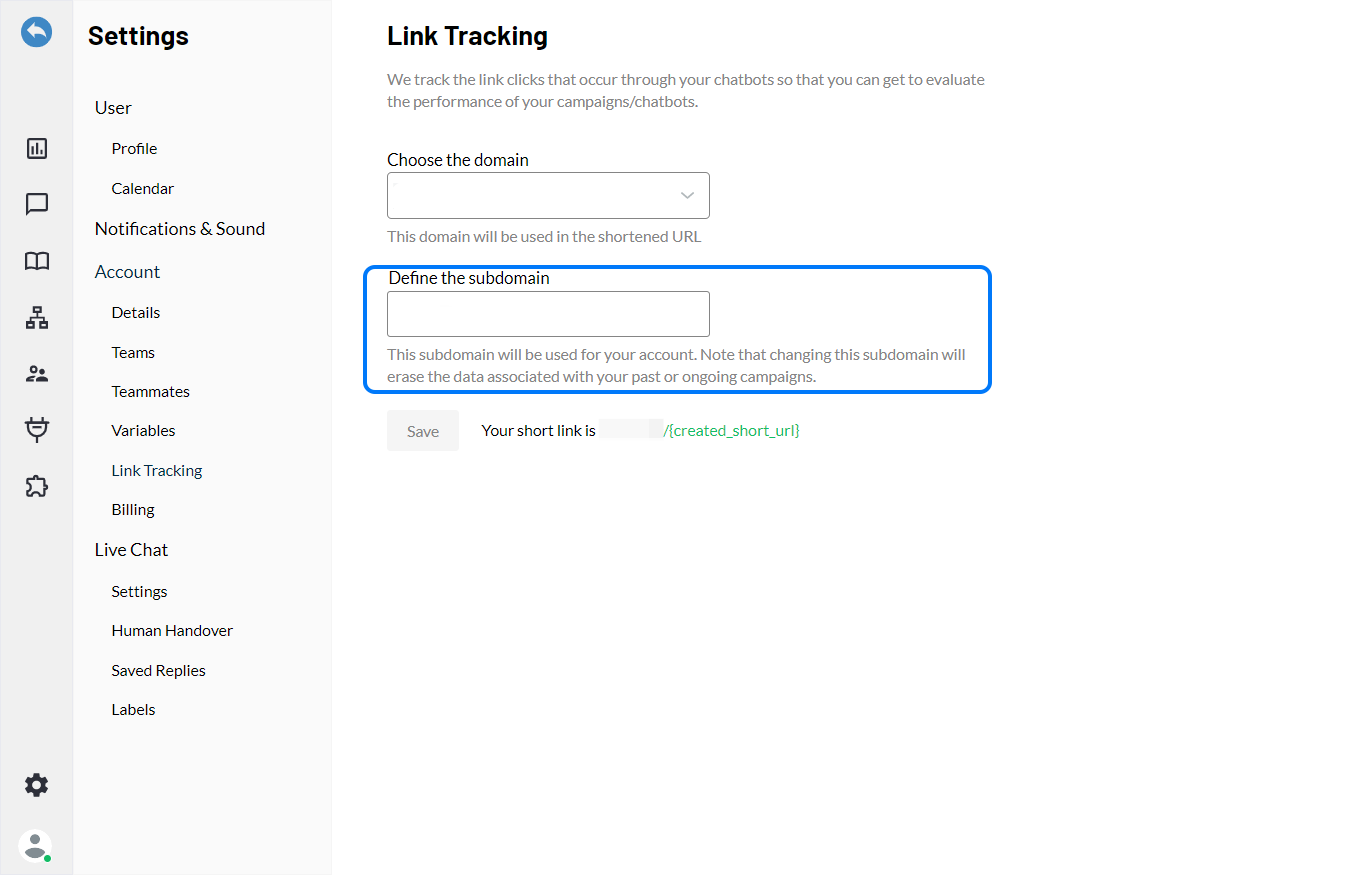
**Step 3:** You can define the sub domain as well.
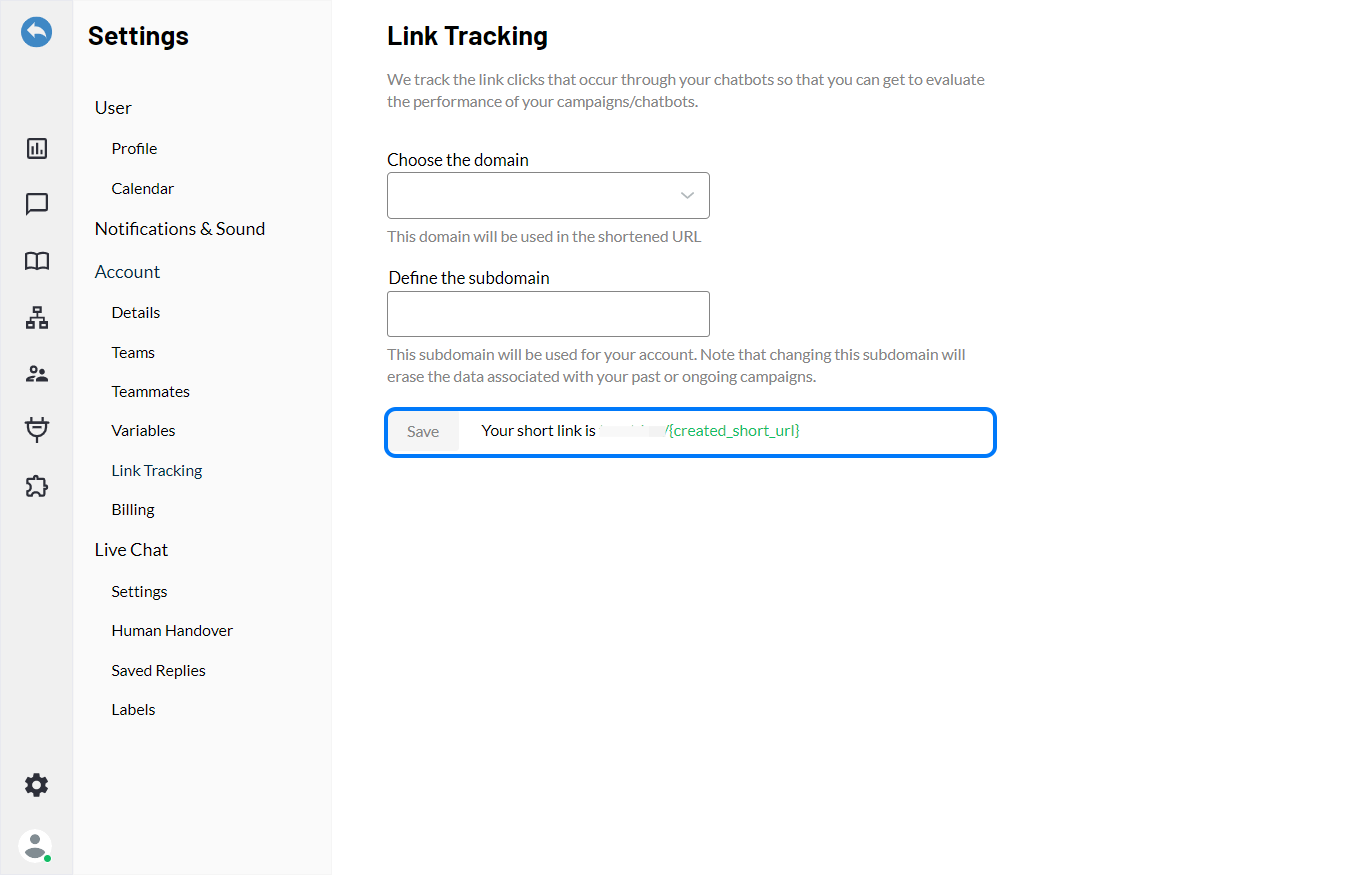
**Step 4:** Click on **'Save'** to update the settings.
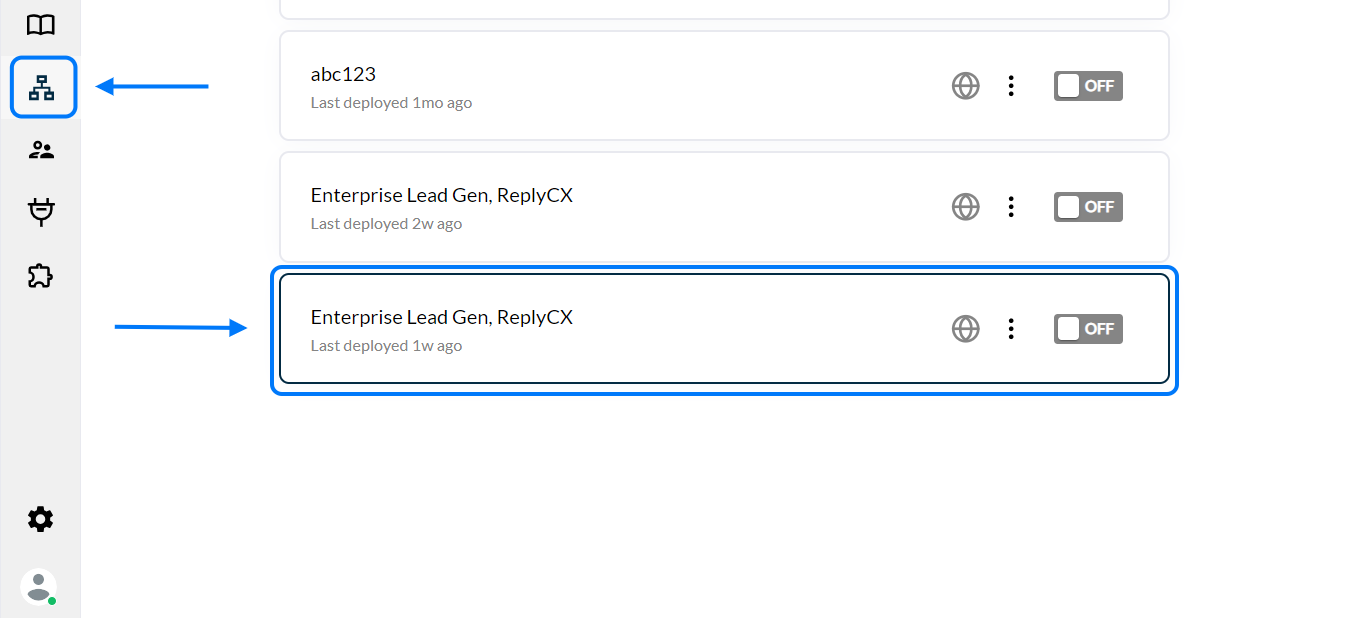
**Step 5:** Go to the **'Bot Builder'** section and select the bot for which you want the link to be tracked.
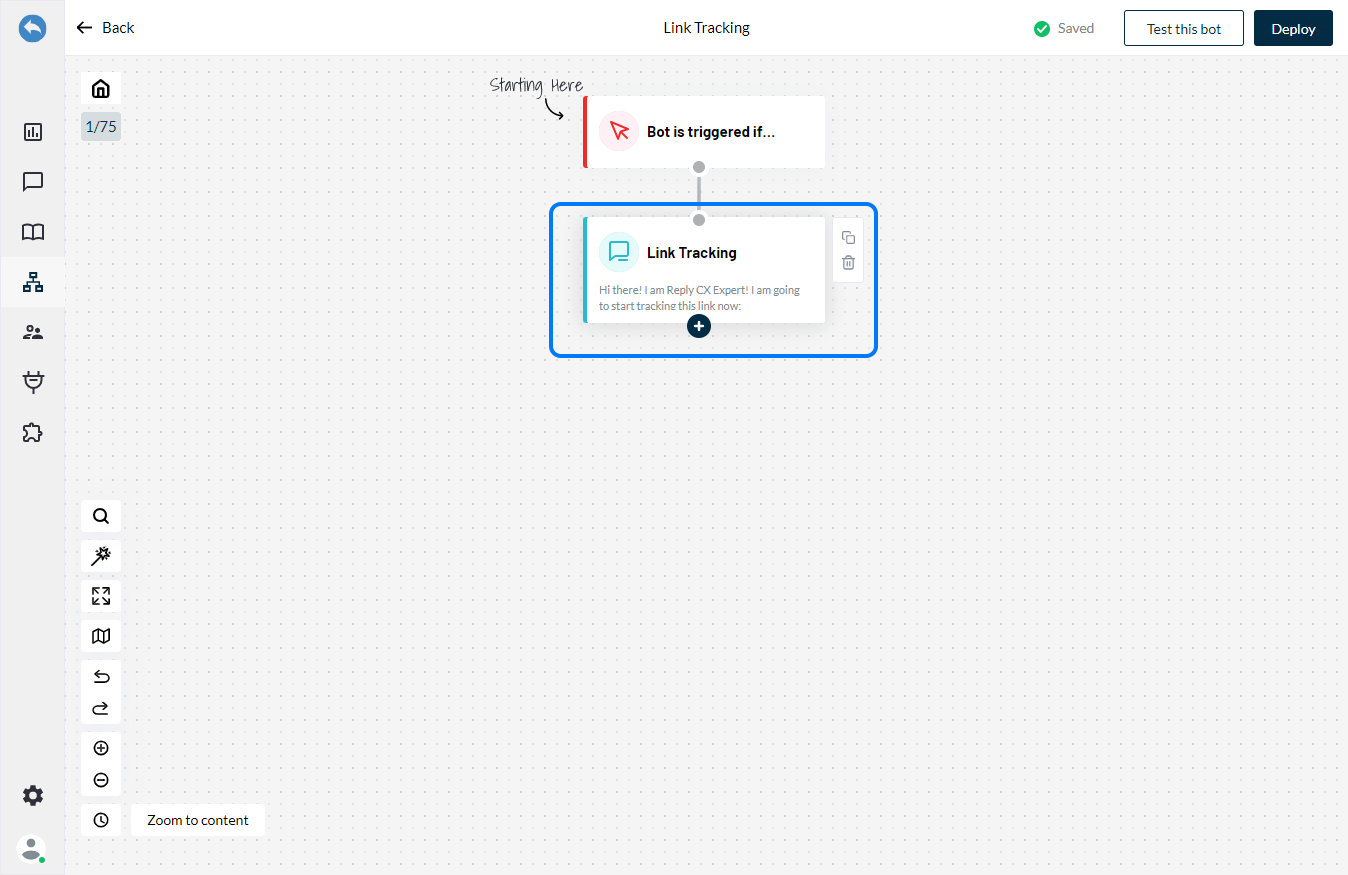
**Step 6:** Click on Link Tracking to configure the block.
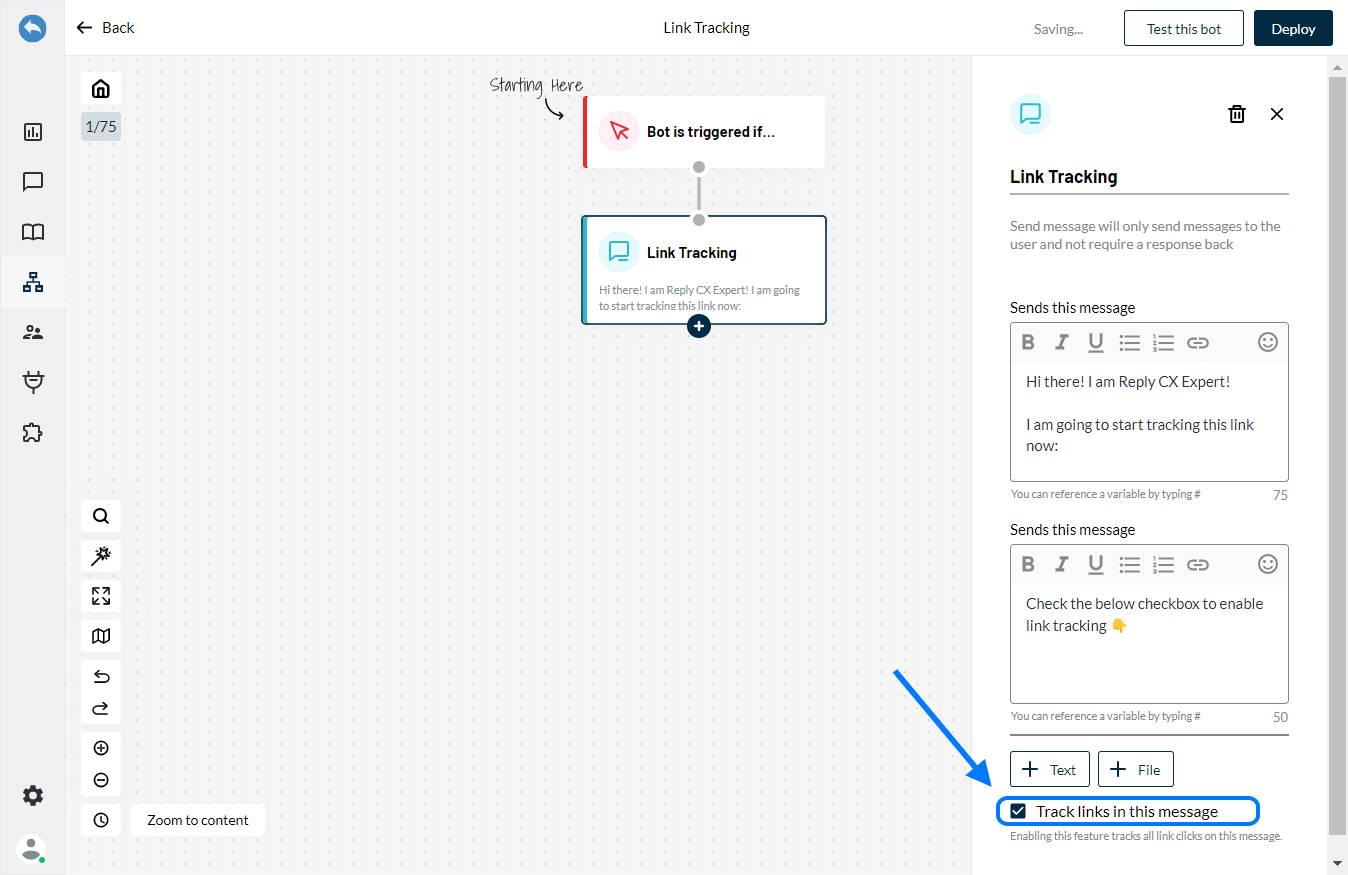
**Step 7:** Enable the **'Check Box'** on the action block to start tracking links.
### Checking the reports:
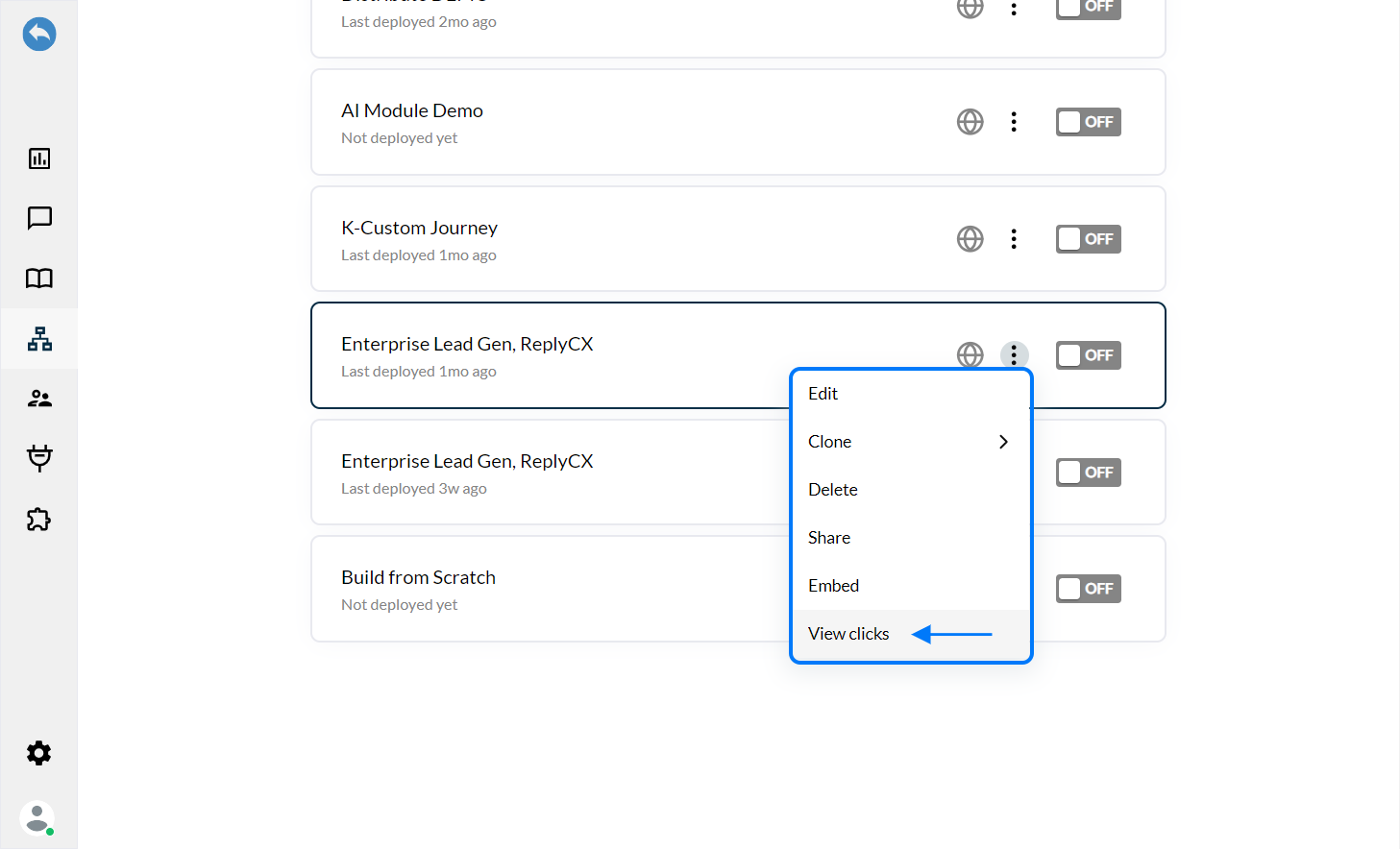
In-order to view the report for the number of clicks on URLs, you can follow the steps given below:
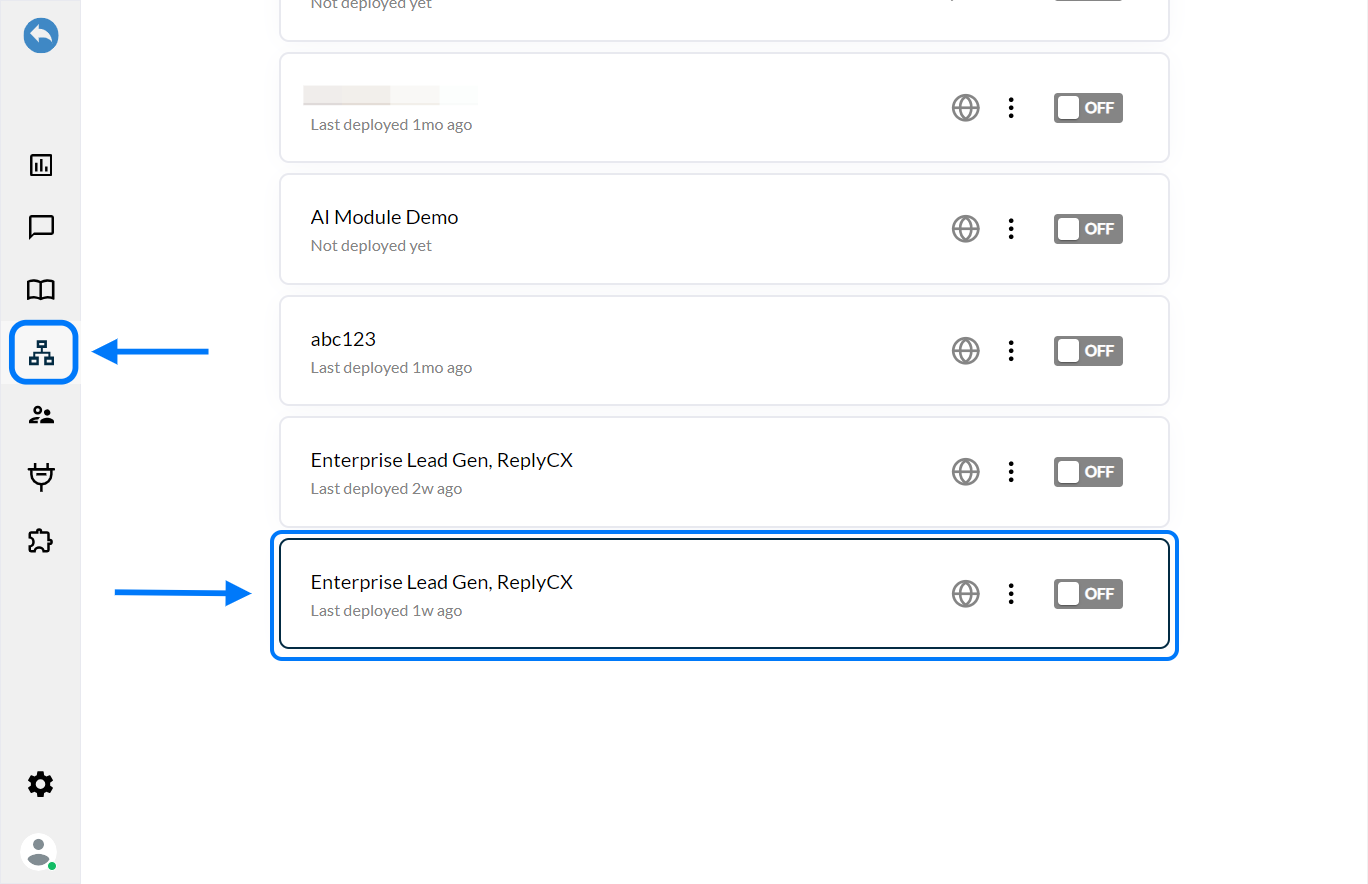
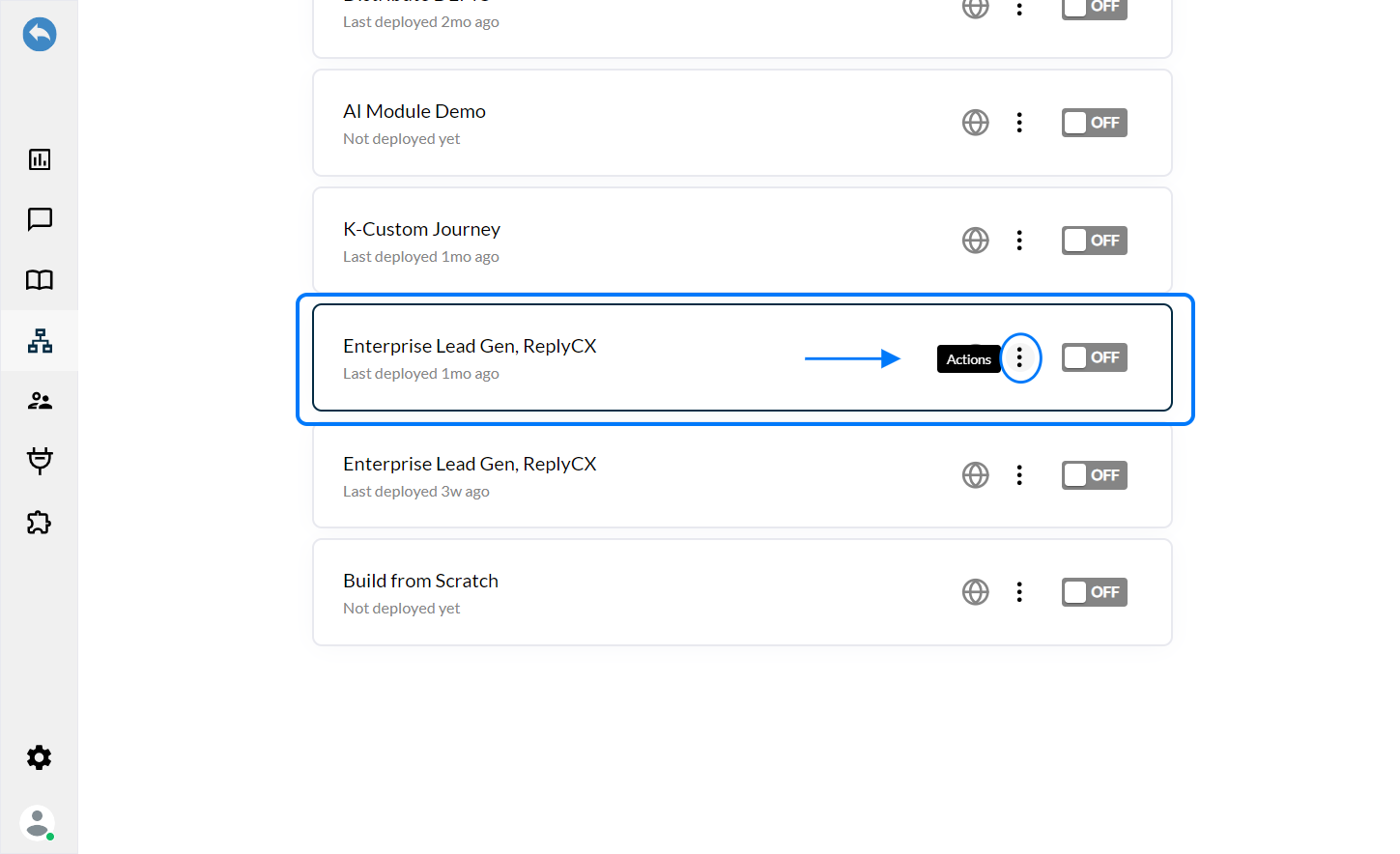
**Step 1:** Go to the **'Bot Builder'** and select the bot for which you want to view the reports.
**Step 2:** Click on the **'Actions'** tab against the selected bot or click on the three dots.