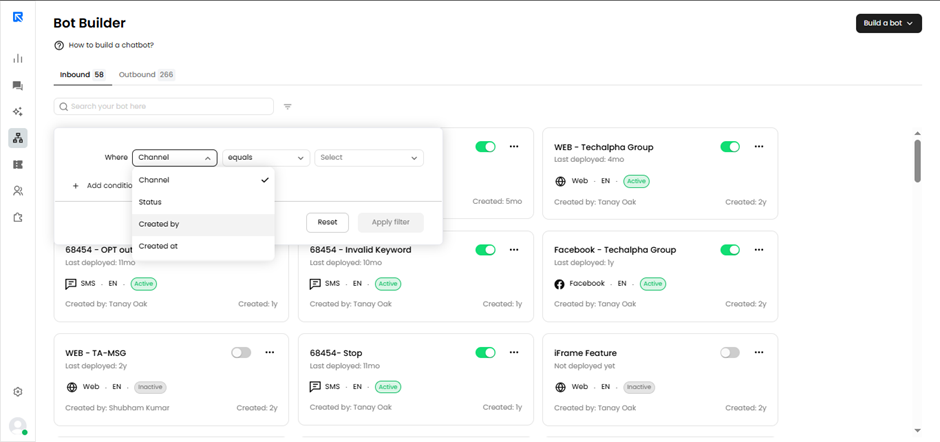
The Bot Management screen includes filters to help you quickly find and manage bots:
- Creation Date – View bots created within a specific date range.
- Bot Status – Filter bots by status: active, inactive, or draft/sent.
- Created By – Display bots created by a particular user.
- Channel – Filter bots based on the channel they are built for.
These filters help you stay organized, reduce clutter, and efficiently manage bots across multiple teams and environments.