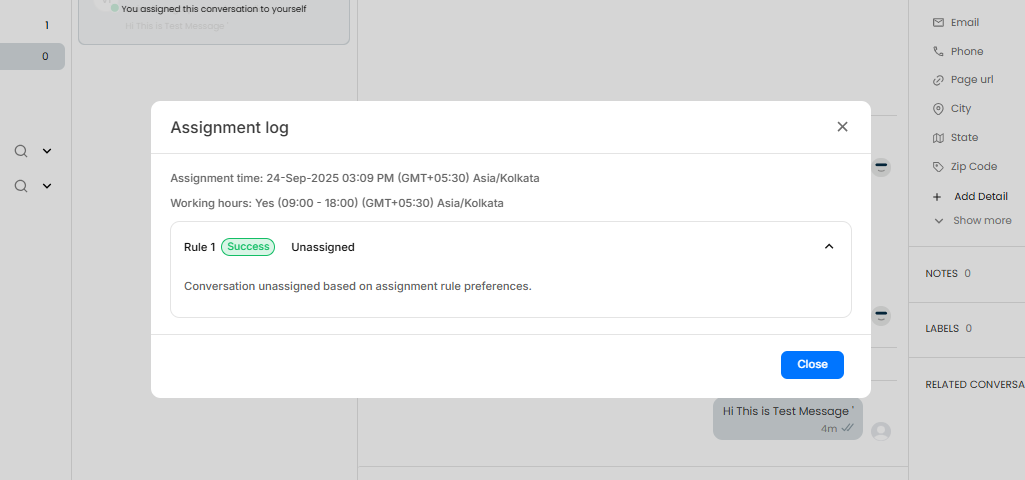
When a chat is routed to a human agent, it follows the assignment rules defined in the “Talk to Human” block. These rules distribute chats among available agents using a round-robin method.
To provide transparency, the Chat Assignment Log shows the exact reason a chat was assigned to a particular agent.
This helps clarify questions like: “If the agent was online and available, why didn’t they receive the chat?”
How It Works
- On the Live Chat page, click View Log to see the assignment snapshot.
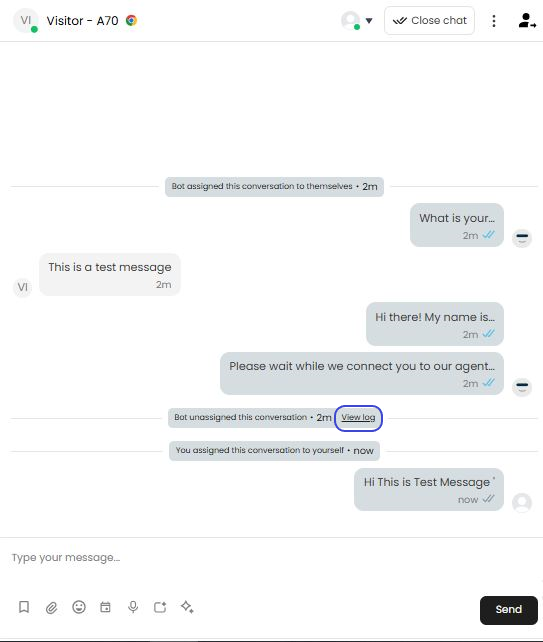
- The log captures the exact conditions at the time of assignment.
- For each rule, you’ll find:
- The status of each agent (available, offline, away, etc.)
- The number of chats each agent was already handling
With this information, admins gain a clear view of how the system determined its assignment.